Django’s select_related Didn’t Fix My N+1 Queries
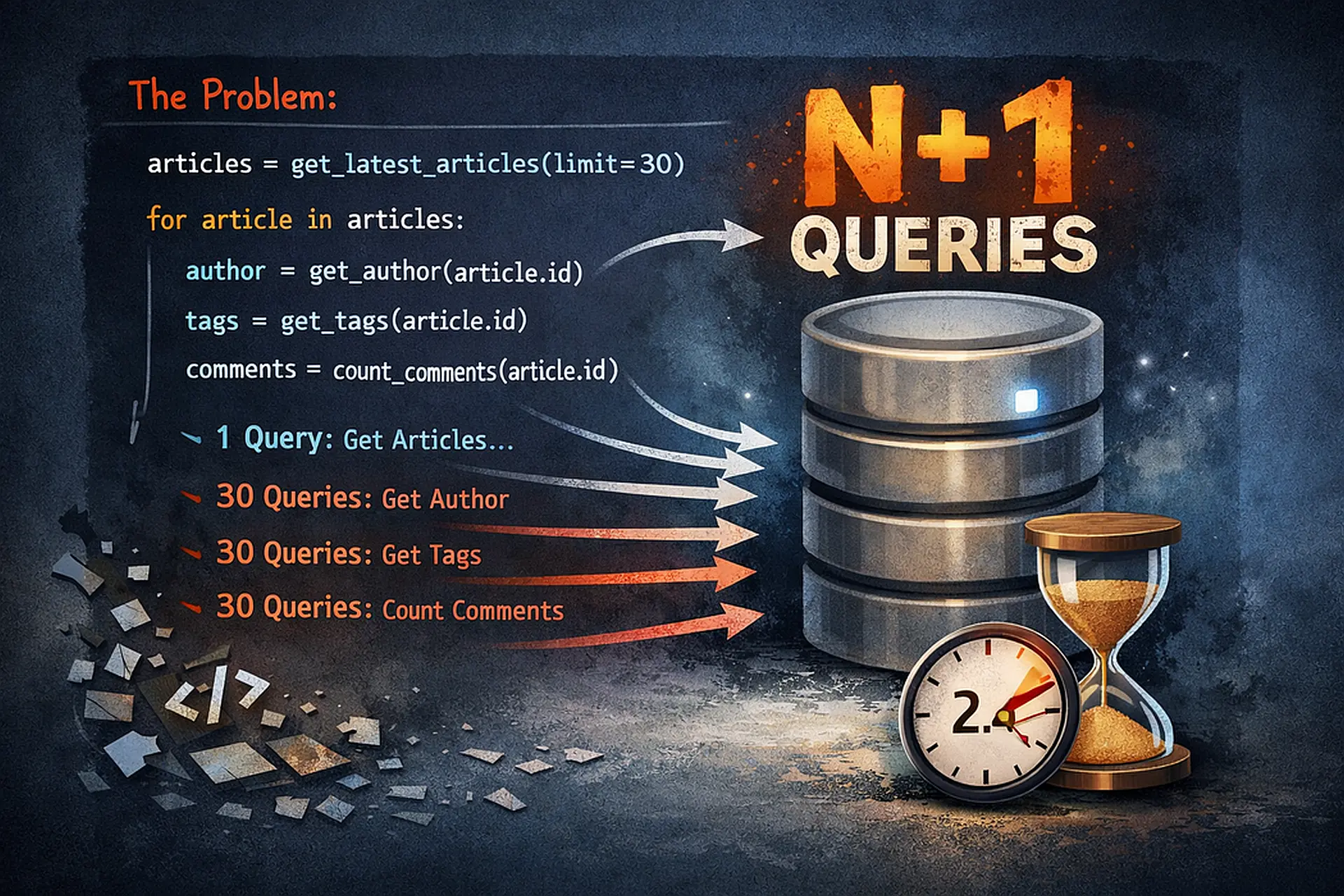
Last month I had a slow page loading posts with their authors and comments. Django Debug Toolbar showed 847 database queries for 50 posts.
Classic N+1 problem. I knew the fix: use select_related() .
# Added select_related
posts = Post.objects.select_related('author', 'comments').all()
Ran the page again. Still 800+ queries. The optimization didn’t work.
Turns out, I used the wrong optimization. select_related() only works for foreign keys and one-to-one relationships. For reverse foreign keys (like comments on a post), you need prefetch_related() .
# The correct fix
posts = Post.objects.select_related('author').prefetch_related('comments')
Queries dropped from 847 to 3. Page load time went from 2.3 seconds to 0.15 seconds.
The problem? I didn’t understand when to use which optimization.
Understanding The Difference
Django has two query optimizations that look similar but work completely differently:
select_related: SQL JOIN
# One query with JOIN
posts = Post.objects.select_related('author')

# SQL: SELECT * FROM posts JOIN users ON posts.author_id = users.id
- How it works:
- Creates a SQL JOIN
- Gets related data in a single query
- Returns one big result set
- Use for:
- ForeignKey relationships (post → author)
- OneToOneField relationships (user → profile)
- Following relationships “forward” (from child to parent)
prefetch_related: Separate Queries
# Two queries total
posts = Post.objects.prefetch_related('comments')

# Query 1: SELECT * FROM posts
# Query 2: SELECT * FROM comments WHERE post_id IN (1, 2, 3, ...)
- How it works:
- Runs separate queries
- Gets related data in batches
- Joins data in Python
- Use for:
- ManyToManyField relationships (post ↔ tags)
- Reverse ForeignKey relationships (post ← comments)
- Following relationships “backward” (from parent to children)
Common Mistakes With select_related
Mistake 1: Using It For Reverse Relationships
The problem:
# Get posts with their comments
posts = Post.objects.select_related('comments').all()  # ❌ Doesn't work

for post in posts:
    for comment in post.comments.all():  # Still N+1 queries!
        print(comment.text)
What happens: select_related silently ignores 'comments' because it's a reverse relationship. You still get N+1 queries.
the fix:
# Use prefetch_related for reverse relationships
posts = Post.objects.prefetch_related('comments').all()  # ✅ Correct

for post in posts:
    for comment in post.comments.all():  # No extra queries
        print(comment.text)
Mistake 2: Using It For ManyToMany
The problem:
# Get posts with their tags
posts = Post.objects.select_related('tags').all()  # ❌ Doesn't work

for post in posts:
    for tag in post.tags.all():  # N+1 queries!
        print(tag.name)
What happens: select_related doesn't work with ManyToMany fields. Silently ignored.
the fix:
posts = Post.objects.prefetch_related('tags').all() # ✅ Correct
Mistake 3: Forgetting Nested Relationships
The problem:
# Get posts with comments, but forget comment authors
posts = Post.objects.prefetch_related('comments').all()  # ❌ Incomplete

for post in posts:
    for comment in post.comments.all():
        print(comment.author.username)  # N+1 on comment authors!
What happens: You fixed post → comments, but not comments → authors.
the fix:
# Use double underscore for nested relationships
posts = Post.objects.prefetch_related(
    'comments',
    'comments__author'  # ✅ Fetch comment authors too
).all()

# Or chain them:
posts = Post.objects.prefetch_related('comments__author').all()
Mistake 4: Mixing Them Wrong
The problem:
# Post has author (FK) and tags (M2M)
posts = Post.objects.prefetch_related('author', 'tags').all()  # ❌ Wrong

# This works, but uses 3 queries when 2 would do:
# Query 1: Get posts
# Query 2: Get authors (should use JOIN instead)
# Query 3: Get tags
the fix:
# Use select_related for FK, prefetch_related for M2M
posts = Post.objects.select_related('author').prefetch_related('tags').all()  # ✅

# Query 1: Get posts with authors (JOIN)
# Query 2: Get tags
Mistake 5: Filtering After Prefetch
The problem:
posts = Post.objects.prefetch_related('comments').all()

for post in posts:
    # This creates new queries!
    recent_comments = post.comments.filter(created_at__gte=yesterday)  # ❌ N queries
What happens: Filtering on a prefetched queryset makes Django ignore the prefetch and query again.
the fix:
from django.db.models import Prefetch

# Filter in the Prefetch object
posts = Post.objects.prefetch_related(
    Prefetch(
        'comments',
        queryset=Comment.objects.filter(created_at__gte=yesterday),
        to_attr='recent_comments'
    )
).all()

for post in posts:
    for comment in post.recent_comments:  # ✅ Uses prefetched data
        print(comment.text)
Real-World Examples
Example 1: Blog Post List
Models:
class Author(models.Model):
    name = models.CharField(max_length=100)
    email = models.EmailField()

class Category(models.Model):
    name = models.CharField(max_length=50)

class Post(models.Model):
    title = models.CharField(max_length=200)
    author = models.ForeignKey(Author, on_delete=models.CASCADE)
    category = models.ForeignKey(Category, on_delete=models.CASCADE)
    tags = models.ManyToManyField('Tag', related_name='posts')

class Tag(models.Model):
    name = models.CharField(max_length=30)

class Comment(models.Model):
    post = models.ForeignKey(Post, on_delete=models.CASCADE, related_name='comments')
    author = models.ForeignKey(Author, on_delete=models.CASCADE)
    text = models.TextField()
Bad query (100+ queries):
def post_list(request):
    posts = Post.objects.all()  # ❌ No optimization

    # In template or loop:
    for post in posts:
        print(post.author.name)       # Query per post
        print(post.category.name)     # Query per post
        for tag in post.tags.all():   # Query per post
            print(tag.name)
        for comment in post.comments.all():  # Query per post
            print(comment.author.name)       # Query per comment
Good query (5 queries total):
def post_list(request):
    posts = Post.objects.select_related(
        'author',      # ✅ FK: Use JOIN
        'category'     # ✅ FK: Use JOIN
    ).prefetch_related(
        'tags',                    # ✅ M2M: Separate query
        'comments__author'         # ✅ Reverse FK + nested FK
    ).all()

    # Now all data is loaded:
    # Query 1: Posts + authors + categories (JOIN)
    # Query 2: Tags
    # Query 3: Comments
    # Query 4: Comment authors
Example 2: E-commerce Order Page
Models:
class Customer(models.Model):
    name = models.CharField(max_length=100)
    email = models.EmailField()

class Order(models.Model):
    customer = models.ForeignKey(Customer, on_delete=models.CASCADE)
    created_at = models.DateTimeField(auto_now_add=True)

class OrderItem(models.Model):
    order = models.ForeignKey(Order, on_delete=models.CASCADE, related_name='items')
    product = models.ForeignKey('Product', on_delete=models.CASCADE)
    quantity = models.IntegerField()
    price = models.DecimalField(max_digits=10, decimal_places=2)

class Product(models.Model):
    name = models.CharField(max_length=200)
    category = models.ForeignKey('Category', on_delete=models.CASCADE)
Optimized query:
def order_detail(request, order_id):
    order = Order.objects.select_related(
        'customer'  # ✅ Get customer with order (FK)
    ).prefetch_related(
        'items__product__category'  # ✅ Get items → products → categories
    ).get(id=order_id)

    # Renders complete order with all data in 3 queries:
    # Query 1: Order + customer (JOIN)
    # Query 2: Order items
    # Query 3: Products + categories (JOIN)

    return render(request, 'order_detail.html', {'order': order})
Example 3: Social Media Feed
Models:
class User(models.Model):
    username = models.CharField(max_length=50)
    followers = models.ManyToManyField('self', symmetrical=False, related_name='following')

class Post(models.Model):
    user = models.ForeignKey(User, on_delete=models.CASCADE, related_name='posts')
    content = models.TextField()
    likes = models.ManyToManyField(User, related_name='liked_posts')

class Comment(models.Model):
    post = models.ForeignKey(Post, on_delete=models.CASCADE, related_name='comments')
    user = models.ForeignKey(User, on_delete=models.CASCADE)
    text = models.TextField()
Optimized feed query:
def user_feed(request):
    user = request.user

    # Get posts from people user follows
    posts = Post.objects.filter(
        user__in=user.following.all()
    ).select_related(
        'user'  # ✅ Post author (FK)
    ).prefetch_related(
        'likes',           # ✅ Users who liked (M2M)
        'comments__user'   # ✅ Comments + comment authors
    ).order_by('-created_at')[:20]

    return render(request, 'feed.html', {'posts': posts})
Advanced: Custom Prefetch Queries
Filtering Prefetched Data
from django.db.models import Prefetch
from datetime import timedelta
from django.utils import timezone

# Only prefetch approved comments from last 7 days
recent_date = timezone.now() - timedelta(days=7)

posts = Post.objects.prefetch_related(
    Prefetch(
        'comments',
        queryset=Comment.objects.filter(
            approved=True,
            created_at__gte=recent_date
        ).select_related('author'),  # Nested optimization
        to_attr='recent_approved_comments'
    )
).all()

for post in posts:
    for comment in post.recent_approved_comments:  # Uses filtered prefetch
        print(comment.text)
Multiple Prefetch Queries
# Get both all comments AND top comments separately
posts = Post.objects.prefetch_related(
    'comments',  # All comments
    Prefetch(
        'comments',
        queryset=Comment.objects.filter(likes__gte=10).order_by('-likes')[:5],
        to_attr='top_comments'
    )
).all()

for post in posts:
    print(f"Total: {post.comments.count()}")  # All comments
    print("Top comments:")
    for comment in post.top_comments:  # Only top 5
        print(comment.text)
Annotating Prefetched Data
from django.db.models import Count

# Prefetch comments with like counts
posts = Post.objects.prefetch_related(
    Prefetch(
        'comments',
        queryset=Comment.objects.annotate(
            like_count=Count('likes')
        ).order_by('-like_count')
    )
).all()

for post in posts:
    for comment in post.comments.all():
        print(f"{comment.text} ({comment.like_count} likes)")
Performance Comparison
Let me show you real numbers from a test with 100 posts:
- No optimization:
posts = Post.objects.all() # 1 + 100 + 100 + 500 = 701 queries # Load time: 3.2 seconds- Only select_related:
posts = Post.objects.select_related('author', 'category') # 1 + 100 + 500 = 601 queries (only saved 100) # Load time: 2.8 seconds- Only prefetch_related:
posts = Post.objects.prefetch_related('tags', 'comments') # 1 + 100 + 2 = 103 queries (better, but still N queries for authors) # Load time: 0.5 seconds- Both optimizations:
posts = Post.objects.select_related(
    'author', 'category'
).prefetch_related(
    'tags', 'comments__author'
)
# 1 + 2 + 1 = 4 queries (optimal!)
# Load time: 0.08 seconds
Debugging Query Optimization
Use Django Debug Toolbar
pip install django-debug-toolbar
# settings.py
INSTALLED_APPS += ['debug_toolbar']
MIDDLEWARE += ['debug_toolbar.middleware.DebugToolbarMiddleware']

# Shows:
# - Number of queries
# - Duplicate queries
# - Slow queries
# - Exact SQL executed
Use QuerySet.explain()
model:
class Publisher(models.Model):
    name = models.CharField(max_length=300)

    def __str__(self):
        return self.name

class Book(models.Model):
    name = models.CharField(max_length=300)
    price = models.IntegerField(default=0)
    publisher = models.ForeignKey(Publisher, on_delete=models.CASCADE)

    class Meta:
        default_related_name = 'books'

    def __str__(self):
        return self.name

class Store(models.Model):
    name = models.CharField(max_length=300)
    books = models.ManyToManyField(Book)

    class Meta:
        default_related_name = 'stores'

    def __str__(self):
        return self.name
books = Book.objects.select_related('publisher')
print(books.explain())
# Output shows:
# - Join operations
# - Index usage
# - Estimated rows

# Output:
3 0 216 SCAN app_bookstore_book
5 0 45 SEARCH app_bookstore_publisher USING INTEGER PRIMARY KEY (rowid=?)
Count Queries Manually
from django.test.utils import override_settings
from django.db import connection
from django.db import reset_queries

@override_settings(DEBUG=True)
def test_queries():
    reset_queries()

    # Your code here
    posts = Post.objects.select_related('author').all()
    list(posts)  # Force evaluation

    print(f"Queries: {len(connection.queries)}")
    for query in connection.queries:
        print(query['sql'])
Quick Decision Guide
- Use select_related when:
- Accessing a ForeignKey: post.author
- Accessing a OneToOneField: user.profile
- You control the relationship (not a reverse relation)
- You want one query with JOIN
- Use prefetch_related when:
- Accessing reverse ForeignKey: post.comments
- Accessing ManyToManyField: post.tags
- You need to filter the related data
- You want separate queries
- Use both when:
- You have mixed relationship types
- Example: select_related('author').prefetch_related('tags')
Common Patterns
Pattern 1: List View
# List of items with related data
items = Item.objects.select_related(
    'owner',
    'category'
).prefetch_related(
    'tags',
    'images'
)
Pattern 2: Detail View
# Single item with all related data
item = Item.objects.select_related(
    'owner__profile',  # Nested: owner and their profile
    'category__parent'  # Nested: category and parent category
).prefetch_related(
    'tags',
    'images',
    'reviews__author'  # Reviews and review authors
).get(id=item_id)
Pattern 3: API Serialization
# Optimize for JSON serialization
def get_posts_json(request):
    posts = Post.objects.select_related(
        'author'
    ).prefetch_related(
        'tags',
        'comments__author'
    ).all()

    data = [{
        'title': post.title,
        'author': post.author.name,
        'tags': [tag.name for tag in post.tags.all()],
        'comments': [{
            'text': c.text,
            'author': c.author.name
        } for c in post.comments.all()]
    } for post in posts]

    return JsonResponse({'posts': data})
Testing Query Counts
from django.test import TestCase
from django.test.utils import override_settings

class QueryOptimizationTest(TestCase):
    @override_settings(DEBUG=True)
    def test_post_list_queries(self):
        # Create test data
        author = Author.objects.create(name='Test')
        post = Post.objects.create(author=author, title='Test')
        Comment.objects.create(post=post, author=author, text='Test')

        from django.db import connection
        from django.db import reset_queries

        reset_queries()

        # Test optimized query
        posts = Post.objects.select_related('author').prefetch_related('comments')
        list(posts)  # Force evaluation

        # Should be 2 queries: posts+authors, comments
        self.assertEqual(len(connection.queries), 2)
Key Takeaways
- select_related = SQL JOIN = ForeignKey and OneToOne = Forward relationships
- prefetch_related = Separate queries = ManyToMany and reverse FK = Backward relationships
- Use double underscore for nested relationships: comments__author
- Combine both for mixed relationships: select_related('author').prefetch_related('tags')
- Use Prefetch object when you need to filter or customize related data
- Always test with Django Debug Toolbar to verify optimization worked
- Profile in production to find real bottlenecks
The Bottom Line
Query optimization isn’t optional. A page with N+1 queries will get slower as your data grows.
- The rules are simple:
- ForeignKey going forward? select_related()
- Reverse relationships or ManyToMany? prefetch_related()
- Mixed? Use both
- Need filtering? Use Prefetch()
Learn these patterns once. Apply them everywhere. Your database will thank you.