How show raw SQL queries for your django queries or querysets

Django ORM makes querying the database easier. But how to know what is happening behind the scenes or what SQL query is executed for certain django query. Here are some ways that might be useful to know that.
Using queryset’s query attribute
It is the simplest way of finding raw SQL query in django.
queryset = Organization.objects.all()
print(queryset.query)
# Output:
SELECT "app_organization"."id", "app_organization"."name", "app_organization"."created","app_organization"."updated"" FROM "app_organization"

str(queryset.query)
# Output:
'SELECT "app_organization"."id", "app_organization"."name", "app_organization"."created", "app_organization"."updated" FROM "app_organization"'
Django connection
This approach is more informative than the previous one because we can find the raw SQL statement as well as time needed to execute that statement( in seconds).
from django.db import connection,reset_queries
Organization.objects.all()
connection.queries

# Output:
[{'sql': 'SELECT "app_organization"."id", "app_organization"."name", "app_organization"."created", "app_organization"."updated" FROM "app_organization"  LIMIT 21','time': '0.001'}]

reset_queries()
# Output:
[]
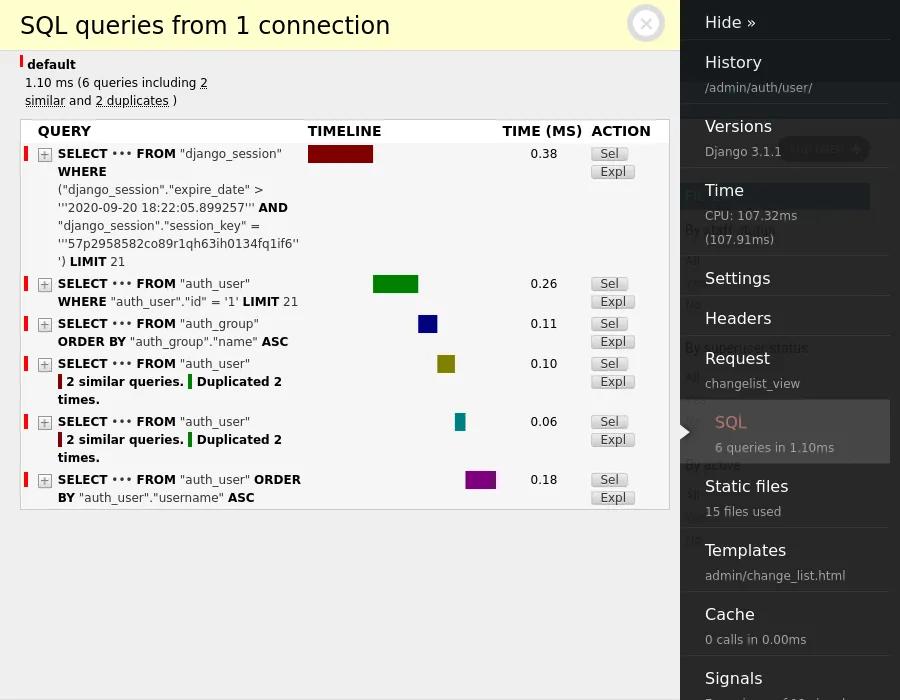
Django Debug Toolbar
The Django Debug Toolbar is a configurable set of panels that display various debug information about the current request/response and when clicked, display more details about the panel’s content including all the SQL queries.
How to pretty print SQL from Django
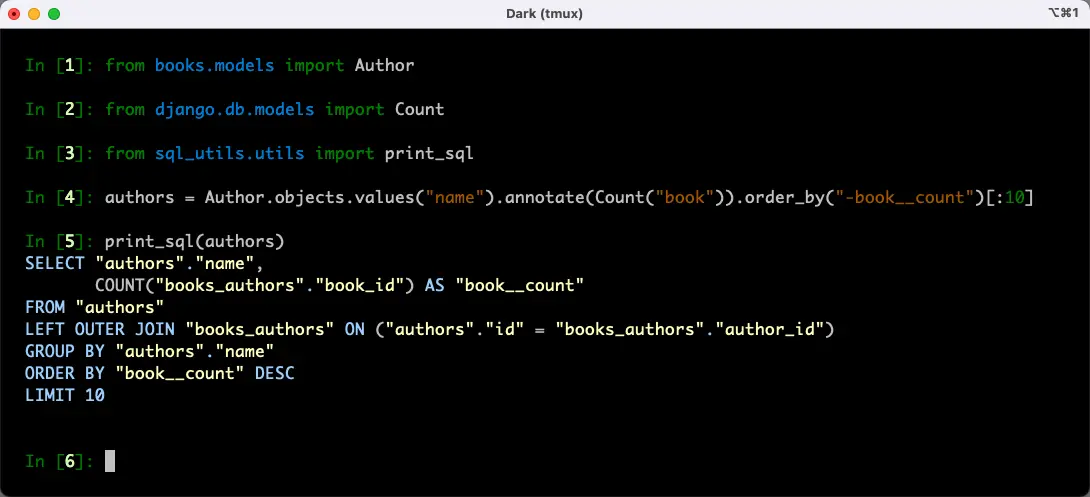
Often, I find myself experimenting in the Django console with ad-hoc model queries.
When it’s not clear how Django turns a queryset into SQL, I find it helpful to print the resulting query. Django QuerySet object has a query attribute. However, its format would benefit from extra formatting.
I used pygments and sqlparse to make the output of query more developer-friendly.
pip install pygments sqlparse
The snippet itself is very straightforward.
# file sql_utils/utils.py

from pygments import highlight
from pygments.formatters import TerminalFormatter
from pygments.lexers import PostgresLexer
from sqlparse import format
from django.db.models import QuerySet


def print_sql(queryset: QuerySet):
    formatted = format(str(queryset.query), reindent=True)
    print(highlight(formatted, PostgresLexer(), TerminalFormatter()))
This is how it looks in the screenshot.